

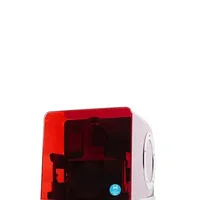
The Asiga MAX X is a professional DLP 3D printer with an open material system designed for demanding industrial applications. High XY resolution, fast print speeds and compatibility with a wide range of third-party materials make it the preferred choice in dental, jewellery casting and audiology sectors.
What it is
The MAX X is the successor to the Asiga MAX UV: offering a larger build volume, higher resolution and faster throughput in the same trusted chassis. The printer operates on DLP technology with the Asiga Smart Print System (SPS), which automatically loads, verifies and calculates material parameters. The open material system means the user can profile and use resins from any manufacturer: an invaluable feature in regulated industries where choice of certified materials is mandatory.
Technical specifications
| Technology | DLP (Digital Light Processing) |
|---|---|
| Build volume | 51 × 32 × 75 mm |
| XY resolution | 27 µm |
| Z resolution | 1 µm step (recommended layer 25–100 µm) |
| Light source | 385 nm UV DLP projector |
| Material system | OPEN: profiling of third-party materials |
| Class / Price | Professional · ~€15,000 – 20,000 |
Applications and industries
- Dental appliances and surgical guides: precise crowns, bridges, surgical guides and dental models from biocompatible resins with sub-50 µm tolerance (Dentistry)
- Investment casting patterns for jewellery: wax-like and castable resins for direct lost-wax casting of intricate metal parts (Jewellery manufacturing)
- Audiology devices and hearing aid shells: biocompatible and flexible resins for fully customised shells from 3D scans of ear canals (Medical devices)
Production workflow
- Insert the material tray, scan the NFC tag or enter the profile manually in Asiga Composer. SPS automatically loads the resin parameters. Correct exposure values for the specific resin: no manual knowledge of layer power and time required.
- Level the build platform to the tray bottom following Asiga's 3-point dial-indicator procedure. Uniform first-layer thickness across the entire surface: critical for adhesion and accuracy.
- For a new or unprofiled material, run the Exposure Finder procedure in Asiga Composer to determine the optimal Ec and Dp values. Correctly profiled material with the right green-part hardness and minimal deformation.
- After printing, wash parts in IPA (2 baths), then place in UV curing chamber according to the resin manufacturer's post-cure specification. Fully cured, stable and biocompatible parts with final mechanical properties.
Key considerations
Materials and applications
Pick a material/alloy this machine processes to see its properties and typical applications:
Conclusion
The Asiga MAX X delivers the rare combination of high DLP resolution and complete freedom in material selection: precisely what makes it indispensable in regulated industries such as dentistry, jewellery casting and audiology. The open material system and intelligent SPS transform the machine into a long-term investment that grows with advances in photopolymer technology.
The full picture
This article is one page from The Big Book of 3D Printing: 704 illustrated pages covering every technology, material and fix in one reference.
Read it on Kindle →Engineer, author of The Big Book of 3D Printing and additive manufacturing expert