

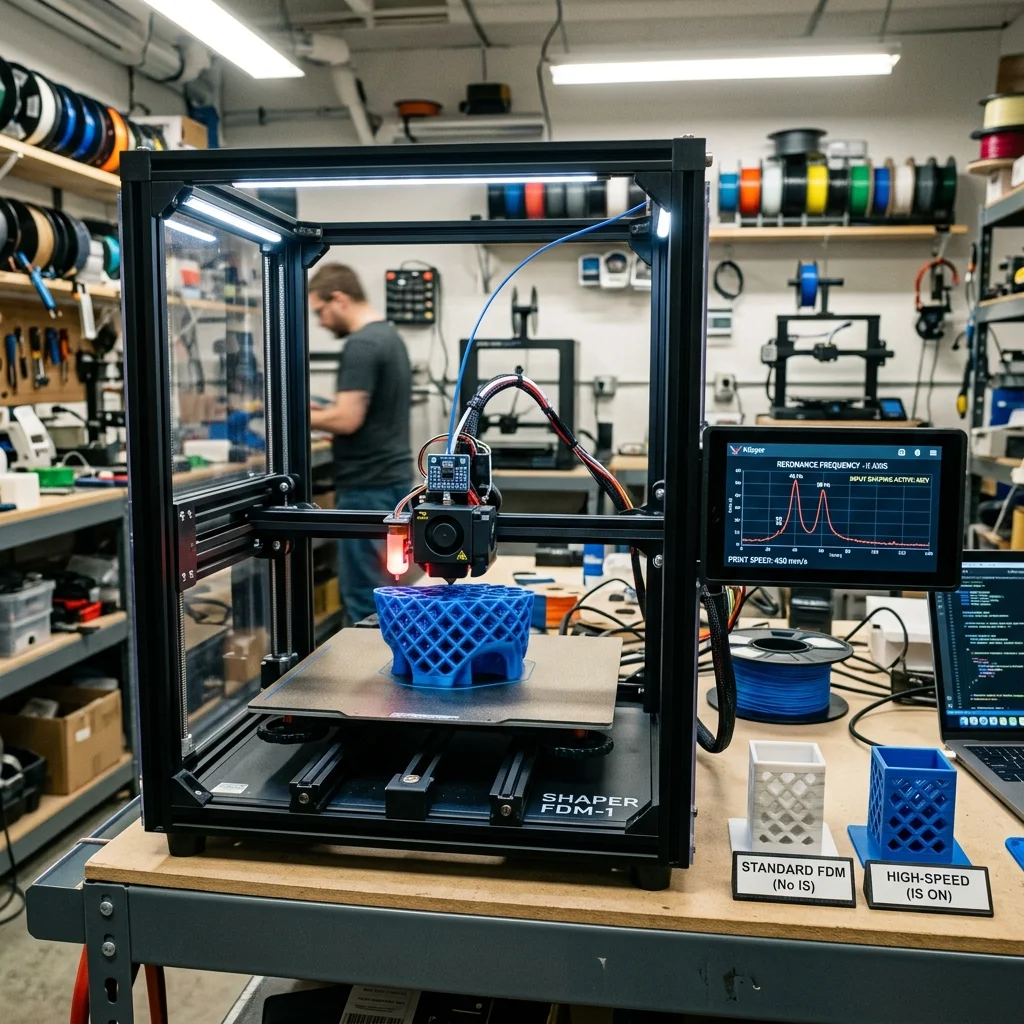
In 2025–2026, Input Shaping has transformed desktop FDM printers from “slow but accurate” to “lightning fast and still accurate.” This control algorithm eliminates mechanical ringing (ghosting) artifacts at high speeds, enabling print velocities of 300–600+ mm/s without quality degradation.
The Problem: Ringing (Ghosting)
During rapid print head movements, sudden direction changes generate mechanical vibrations that appear as ringing artifacts on part surfaces. Kinetic energy scales as $E_k = frac{1}{2}mv^2$: doubling speed quadruples vibration energy.
Interactive Filament Selector
Answer 3 quick questions and find the optimal material for your project.
1. What are the mechanical requirements for the part?
2. What temperature will the part operate at?
3. Are there any specific environmental requirements?
Our recommendation:
PLA filament
Ideal for easy printing, model visualization and decorative parts.
Input Shaping: Software Vibration Suppression
- Measurement: Accelerometer (ADXL345, ~€3) on print head measures resonant frequencies.
- Identification: Klipper analyzes frequency spectrum, determines resonant frequencies ($f_{res}$) for X/Y axes (typically 30–80 Hz).
- Filter: Input shaper adds “anti-impulse” to motion commands that cancels resonant vibration.
Input Shaper Types
| Shaper | Vibration Reduction | Max Smoothing | Recommended For |
|---|---|---|---|
| ZV | Minimal | Lowest | Slow printers (< 150 mm/s) |
| MZV | Good | Low | Medium speeds |
| EI | Excellent | Moderate | High speed (200–500 mm/s) |
| 2HUMP_EI | Maximum | High | Extreme speed (> 500 mm/s) |
Practical Impact
| Parameter | Without IS | With IS |
|---|---|---|
| Max speed without ringing | 80–120 mm/s | 300–600+ mm/s |
| Max acceleration without ringing | 1,000–3,000 mm/s² | 5,000–20,000 mm/s² |
| Calibration time | N/A | 5–15 minutes (one-time) |
Pros and Cons
Pros:
- Free: Software solution, no hardware modification (except €3 accelerometer).
- Dramatic Speed Increase: 3–5× faster without quality loss.
- Automatic Calibration: Klipper generates resonance spectrum with one command.
Cons:
- Smoothing: Aggressive shapers round sharp corners slightly.
- Requires Klipper: Marlin support is limited.
FAQ
Input Shaping: The Software Revolution For High-Speed Fdm Printing Speed Simulator
Optimize speed vs quality.
The full picture
This article is one page from The Big Book of 3D Printing: 704 illustrated pages covering every technology, material and fix in one reference.
Read it on Kindle →Engineer, author of The Big Book of 3D Printing and additive manufacturing expert