

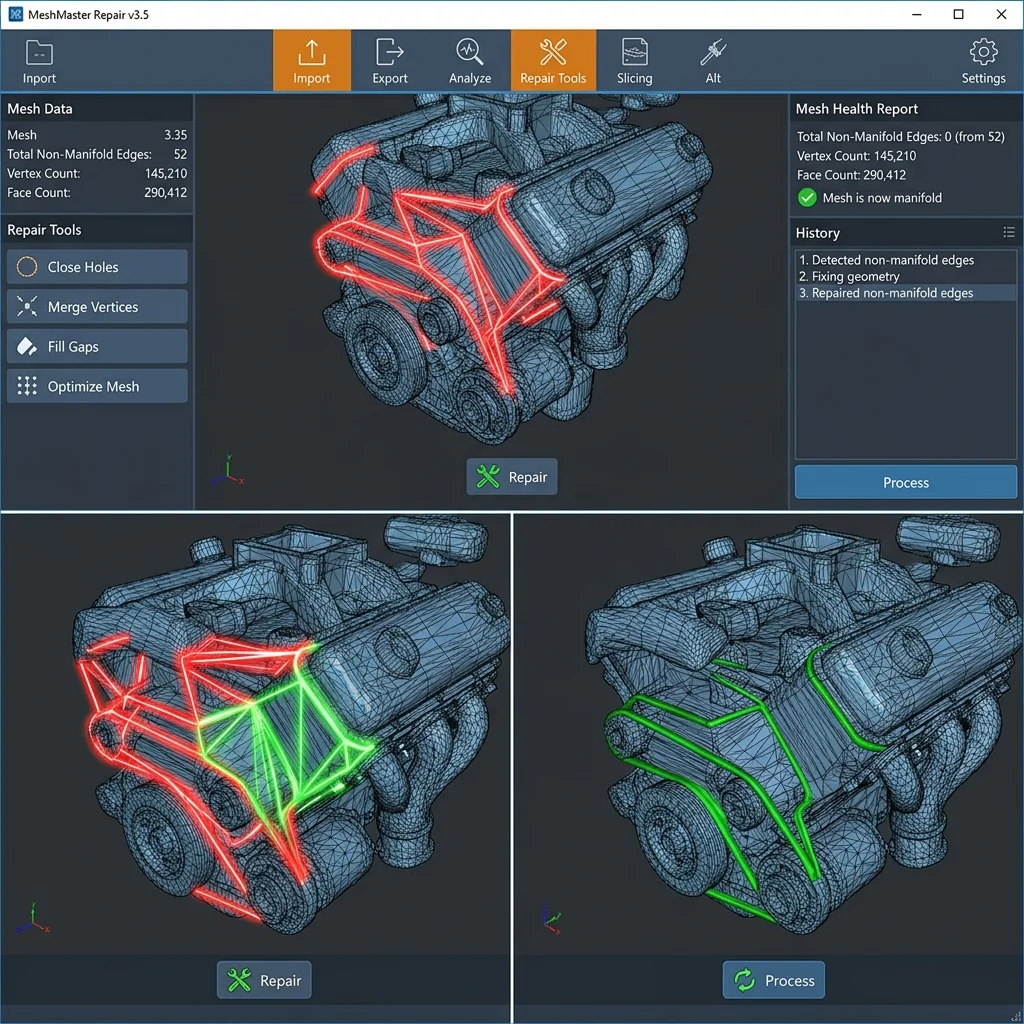
In 2025–2026, interactive 3D mesh repair remains a critical step between CAD design and slicing. Most STL files from online repositories contain geometric errors (non-manifold edges, flipped normals, self-intersections) that cause failed slicing or defective prints.
Common STL Errors
| Error | Description | Print Effect |
|---|---|---|
| Non-manifold edges | Edge shared by > 2 faces | Holes in slice |
| Flipped normals | Normal points inward | Inverted infill/shell |
| Self-intersections | Intersecting faces | Unpredictable infill |
| Holes | Open surfaces | Leaks in print |
Interactive Filament Selector
Answer 3 quick questions and find the optimal material for your project.
1. What are the mechanical requirements for the part?
2. What temperature will the part operate at?
3. Are there any specific environmental requirements?
Our recommendation:
PLA filament
Ideal for easy printing, model visualization and decorative parts.
Mesh Repair Tools
| Tool | Auto Repair | Manual Edit | Price |
|---|---|---|---|
| Meshmixer | Yes | Yes (sculpting) | Free |
| Netfabb | Yes (powerful) | Yes | Free (Basic) |
| PrusaSlicer | Yes (built-in) | No | Open-source |
| Blender | Manual + addons | Full | Open-source |
FAQ
Interactive Analyzer for Interactive 3D Model Mesh Repair: Stl Errors And Solutions
Select a profile to view detailed analysis.
The full picture
This article is one page from The Big Book of 3D Printing: 704 illustrated pages covering every technology, material and fix in one reference.
Read it on Kindle →Engineer, author of The Big Book of 3D Printing and additive manufacturing expert