

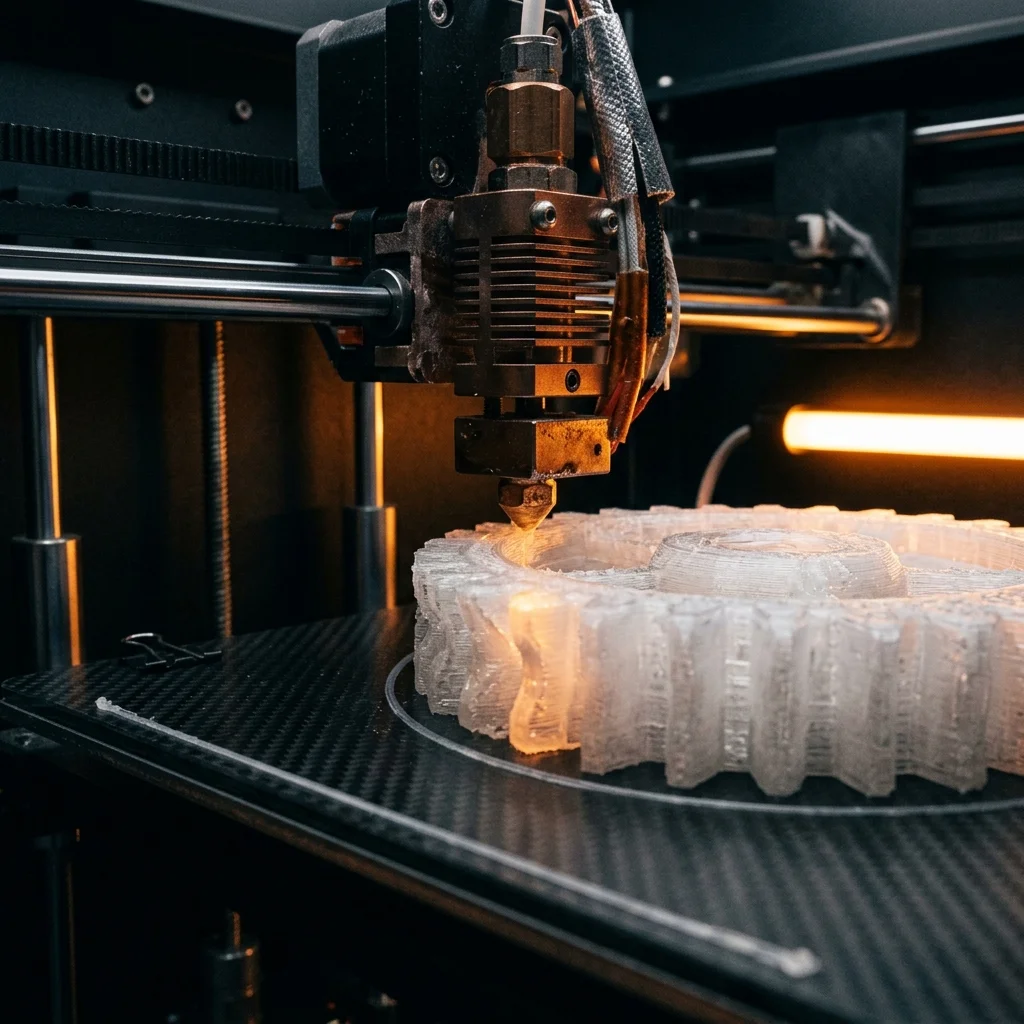
Polycarbonate (PC) is among the toughest thermoplastics on the market: the material that police bulletproof helmets, optical discs (CD/DVD/Blu-ray), safety glasses, and firefighter helmets are made from. In FDM printing, PC is a premium material with high heat resistance (HDT up to 130-135°C), exceptional impact strength (up to 30× more than PLA), and optical transparency in clear variants. Not easy to print: requires an enclosed body, high hotend temperature (270-300°C), and experience. But for applications that need real heat resistance and toughness, PC is irreplaceable. In this guide we cover PC filament types, which printers are suitable, and real engineering examples.
Why Polycarbonate in FDM
Key advantages of PC over other FDM materials:
Heat resistance. HDT 130-135°C (vs 55-60°C for PLA, 75-80°C for PETG, 95-105°C for ABS). A PC part can withstand a car interior on a summer day (60-80°C inside), near a heat source (oven, stove, engine compartment), without deformation.
Impact strength. PC has 200-400 J/m by Charpy notched impact strength (vs 20-30 J/m for PLA, 50-80 J/m for ABS). One of the toughest thermoplastics on the market.
Transparency. Pure PC is optically transparent (90%+ light transmission). Useful for visual prototypes of optics, lamps, transparent enclosures.
Flame resistance. Polycarbonate FR (Flame Retardant) has UL94 V-0 rating, suitable for electronic enclosures.
Dimensional stability. PC has a low coefficient of thermal expansion (for a thermoplastic). A printed PC enclosure doesn’t deform with temperature as much as ABS.
When PC is NOT a sensible choice:
- Decorative applications (PC is more expensive than PLA or PETG, with no visual advantage).
- Frequent small prototypes (PC requires an enclosed body and warm-up time: not for fast iteration).
- Outdoor applications with UV exposure (PC yellows in 6-12 months in the sun: ASA or PETG are better).
- Contact with aggressive chemicals (PC dissolves in acetone, methylene chloride, ammonia).
- Simple functional parts under low load (PETG is significantly cheaper and sufficient).
PC is a premium engineering material justified only for applications that genuinely benefit from its heat resistance or impact resistance.
Polycarbonate filament types
Standard PC (pure Polycarbonate):
- Polymaker PC-Max (€65/kg): impact-resistant, HDT 130°C, the most widely available PC filament.
- eSUN PC (€30-€35/kg): budget alternative. Slightly lower quality than PC-Max, but prints decently.
- Bambu Lab PC (€35-€40/kg): optimized for Bambu printers with AMS.
- 3DXTech CarbonX PC (€80/kg): premium, up to 135°C HDT.
PC composites (blended with other polymers for easier printing):
- PC/ABS: PC + ABS blend, easier to print than pure PC. HDT 110-120°C.
- PC/PBT: blend for better dimensional stability.
- PolyLite PC Max Tough: Polymaker premium segment with specific mechanical characteristics.
PC composites (with reinforcement):
- PC-CF (Polycarbonate with carbon fibers): Polymaker PolyMide PC-CF (€85/kg). Stiffer, with better heat stability.
- PC-GF (with fiberglass): industrial variant. €120-€150/kg. Not for standard printers.
PC special:
- PC clear (Clear PC), for optical applications. Polymaker PolyLite PC Clear (€70/kg). Prints with up to 90% transparency (vs 100% for injection-molded PC).
- PC colored: very small selection. Polymaker offers PC in Natural and black. For colored PC parts, usually print and paint.
- PC FR (Flame Retardant): Polymaker Polycarbonate FR (€90/kg), UL94 V-0 rated.
For most applications I recommend Polymaker PC-Max (€65/kg): balance between quality, price, and market availability.
Recommended printers for Polycarbonate
CRITICAL: PC requires an enclosed body and a high hotend temperature (270-300°C). An open printer without an enclosure cannot print PC well: warping and layer separation are the main issues.
For beginner PC experience:
- Bambu Lab X1-Carbon (€1449): enclosed body, hotend to 300°C. Standard package includes a hardened nozzle. Recommended starter printer for PC.
- Prusa MK4S with Prusa Enclosure (€999 + €330): excellent alternative with European support.
- Bambu Lab P1S (€700): budget enclosed. Smaller build volume than X1-Carbon, but same heat resistance.
For serious PC work:
- Bambu Lab X1-Carbon + AMS (€1799): multi-color PC prints, farm potential.
- Prusa XL with 5 heads (€3500), for large PC parts.
- Anycubic Kobra 2 Max with external enclosure (€500 + €100 DIY): budget large build volume.
For industrial PC applications:
- Intamsys Funmat HT (€8,000): desktop industrial printer with 360°C hotend and 90°C chamber.
- Stratasys F370 (€55,000-€80,000): industrial standard for PC and PC composites.
- Markforged FX20 (€60,000+), for PC with continuous fibers.
DANGEROUS: Do NOT use open (non-enclosed) printers for PC:
- Creality Ender 3 (all variants)
- Anycubic Kobra 2 without enclosure
- Bambu Lab A1 (open!)
These printers can technically extrude PC, but the print will warp, lift off the bed, and delaminate. Material loss will be significant.
For a small engineering studio working regularly with PC, I recommend Bambu Lab X1-Carbon (€1449). For occasional PC work: Prusa MK4S with Enclosure (€1329) if you already have a Prusa in the studio.
Optimal settings for PC
Nozzle temperature: 270-300°C. Start at 285°C, check flow. PC below 270°C doesn’t extrude evenly. PC above 300°C starts to degrade (releases fumes: ventilation needed).
Bed temperature: 100-120°C. Standard glass plate doesn’t work well for PC. PEI plate (€15-€30) with a thin layer of Magigoo PC adhesive (€12) for reliable adhesion is recommended.
Chamber temperature: IMPORTANT! An enclosed body should reach 50-80°C during printing. Bambu X1-Carbon and Prusa MK4S with Enclosure actively manage chamber air for stabilization. Without stable chamber temperature: warping pulls parts off the bed.
Print speed: 40-70 mm/s. PC requires slower printing than PLA or PETG. Bambu X1 can print PC up to 100 mm/s, but for quality 50 mm/s is recommended.
Retraction: PC has lower retraction sensitivity than Nylon. Direct drive: 1-2 mm @ 30 mm/s. Bowden: 3-5 mm @ 25 mm/s.
Cooling: 0-15% (PC doesn’t like cooling, layer separation occurs with fast cooling). For the first 5-10 layers: no cooling. Never exceed 20%.
Layer height: 0.20 mm standard. PC gives excellent layer visibility: can go down to 0.12-0.16 mm for fine details (but print time grows significantly).
Infill: 30-50% for functional parts. PC is already strong at low infill: more adds little strength and significant time/material.
Wall pattern: 4-6 walls. More important to PC strength than infill.
Supports: PC easily cracks when removing supports by hand. Tree supports or soluble supports (PolySupport, BVOH) are recommended.
Drying: PC is hygroscopic, absorbs 2-3% moisture in 48 hours in a standard room. Dry at 70°C for 6-8 hours in a dryer before printing.
Real applications and mistakes
Real engineering applications:
Example 1: Enclosure for an industrial temperature sensor
Customer: a company producing temperature sensors for the food industry. The sensors operate at 80-100°C, the enclosures must withstand it.
Solution: PC-Max enclosures with integrated heat-set inserts. Bambu X1-Carbon, 12 hours of printing for a full batch (10 enclosures).
Cost: €18 material + €20 labor = €38 total per batch. Aluminum enclosure with CNC: €25-€60 each. 30-50% savings per series.
Example 2: Clear PC enclosure for an LED lamp (commission for a design studio)
Customer: a design studio making custom LED lighting fixtures.
Solution: Clear PC for a transparent enclosure that gives light diffusion. After printing: smoothing with sanding + water polish to improve transparency.
Cost: €35 material + €60 labor (including polishing) = €95 per enclosure. A finished clear PC enclosure from a store: €120-€200, with no customization possible.
Example 3: Hinge mechanisms for a stationary bike (fitness center)
Customer: a fitness center with worn plastic hinge mechanisms on stationary bikes.
Solution: PC-Max hinge components with heat-set metal inserts. More resistant to daily load than standard PLA or PETG.
Cost: €25 material + €40 labor = €65 per bike. Original replacement: €180-€250.
Common mistakes and solutions:
Mistake 1: Warping of large parts
Cause: insufficient chamber temperature. PC lifts off the bed on cooling.
Solution: enclosed body required. For very large parts (200+ mm): separate heater in the chamber ($30 DIY).
Mistake 2: Layer separation (delamination)
Cause: fast cooling, insufficient hotend temp.
Solution: reduce cooling to 0-10%, raise hotend by 5-10°C.
Mistake 3: Bubbles and grainy surface
Cause: moisture in the filament. PC absorbs 2-3% moisture.
Solution: dry filament 6-8 hours at 70°C before printing.
Mistake 4: Won’t adhere to the bed
Cause: low bed temperature or unsuitable surface.
Solution: PEI plate with Magigoo PC adhesive at 110°C bed temperature.
Mistake 5: Popping sounds during printing
Cause: MOISTURE. Water droplets boil in the nozzle at 280°C+.
Solution: REQUIRED filament drying.
Frequently Asked Questions (FAQ)
Interactive Analyzer for Fdm With Polycarbonate (Pc), For Heat-Resistant And Tough Parts
Select a profile to view detailed analysis.
The full picture
This article is one page from The Big Book of 3D Printing: 704 illustrated pages covering every technology, material and fix in one reference.
Read it on Kindle →Engineer, author of The Big Book of 3D Printing and additive manufacturing expert