

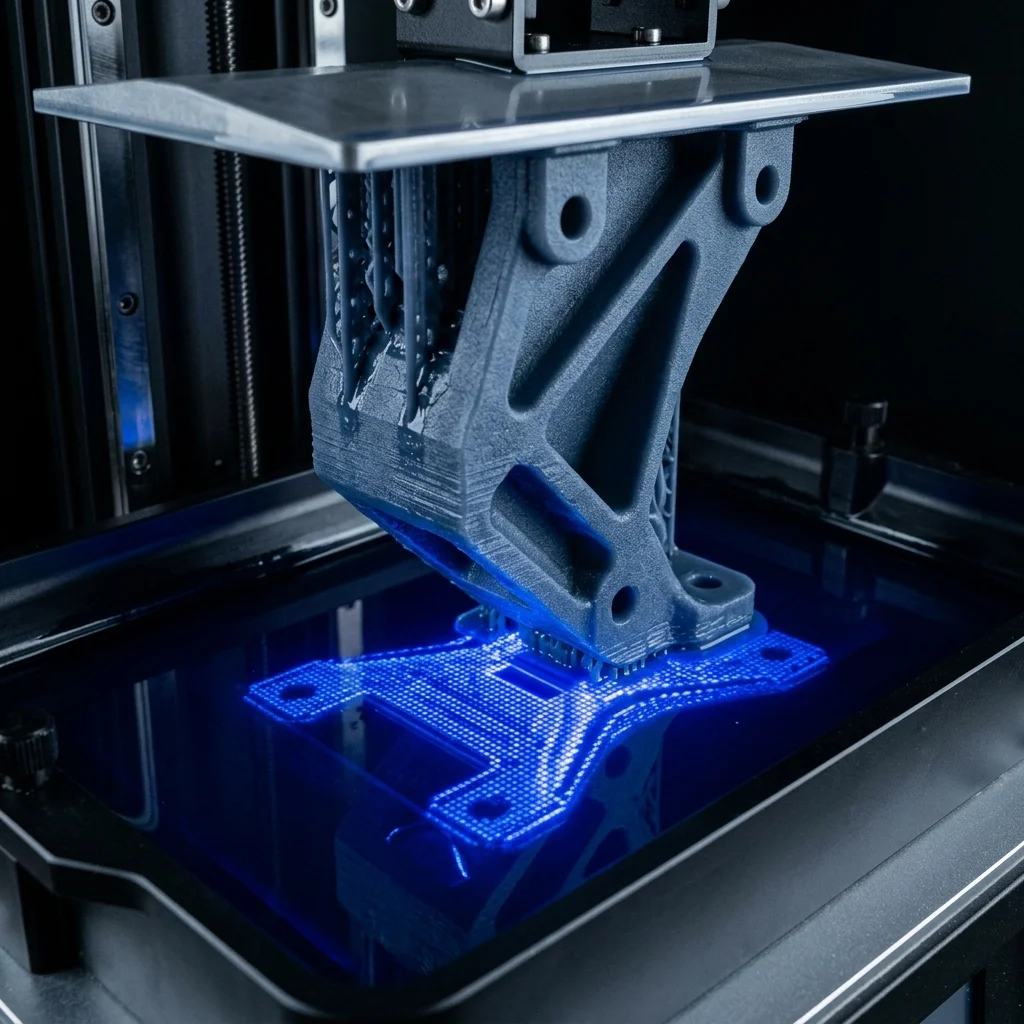
Digital Light Processing (DLP) is one of the leading technologies in modern resin 3D printing, offering exceptional speed and precision. Unlike traditional SLA technology, which uses a laser beam to trace layers, DLP utilizes a digital projector to expose the entire layer simultaneously. This makes it a preferred choice for professionals who need fast and high-quality production of parts. When this technology is combined with engineering (Tough) resins, the result is strong, durable, and functional components that can withstand significant mechanical loads. These materials are specifically designed to simulate the properties of traditional engineering plastics like ABS and polycarbonate. In this guide, we will explore in detail how to optimize the printing process with DLP and Tough resins, examine the best printers and materials on the market, and share tips on how to avoid common pitfalls.
Basics of DLP Technology and Why It Suits Tough Resins
DLP technology operates on the principle of photopolymerization, where liquid resin cures under the influence of ultraviolet (UV) light. The key advantage of DLP over SLA is the use of a DMD (Digital Micromirror Device) chip, which projects the image of the entire layer at once. This means the time to print a single layer remains constant, regardless of the number of parts on the build platform. Engineering (Tough) resins require precise control over exposure to achieve their unique mechanical properties: high tensile strength and impact resistance. DLP projectors provide an extremely even distribution of light, ensuring that the polymer chains in Tough resins form correctly and consistently. This is critical, as uneven curing can lead to internal stresses and brittleness in the final part. Furthermore, the high resolution of modern DLP systems allows for the creation of functional prototypes with exceptional surface detail, which is essential for mechanical assemblies and moving mechanisms.
Recommended 3D Printers for Engineering Resins
Choosing the right DLP 3D printer is critical for successfully printing Tough resins. For professional and industrial use, the Desktop Health Einstein Pro XL offers uncompromising precision and reliability. This system is designed to handle a wide range of biocompatible and engineering materials, providing constant temperature control, which is vital for handling viscous Tough resins. The Flashforge Hunter is another excellent alternative positioned in the mid-range tier. It features a proprietary light engine that ensures a long lifespan of components and excellent uniformity of UV radiation, making it ideal for creating robust and accurate prototypes. For those entering the field or on a tighter budget, the Anycubic Photon D2 represents a revolution in affordable DLP printing. Despite its lower price point, it employs true DLP technology, offering exceptional sharpness of details and a significantly longer lifespan of the light source compared to traditional LCD/mSLA printers, making it a fantastic choice for small workshops and enthusiasts.
Recommended Material Brands: Formlabs, Siraya Tech, and Liqcreate
The market offers a variety of engineering resins, each with its specific characteristics. Formlabs Tough 2000 Resin is an industry standard when it comes to simulating the strength and stiffness of ABS plastic. This material is highly durable, withstands cyclic loading, and is perfect for functional prototypes, enclosures, and mechanisms. Although developed for the Formlabs ecosystem, similar formulas can be utilized on open DLP systems. Siraya Tech Blu is among the most popular choices in the community due to its excellent price-to-performance ratio. This resin is known for its remarkable toughness and ease of use, making it suitable for creating parts that require impact resistance and durability under stress. Liqcreate Tough is a premium alternative from a European manufacturer that offers outstanding longevity and resistance to environmental factors. This resin is specifically formulated to work with a wide range of DLP and SLA printers, providing a tack-free surface and excellent mechanical properties even after extended periods of use.
Typical Use Cases and Common Pitfalls
Tough resins find widespread applications in engineering, product design, and manufacturing. They are used to create functional prototypes, snap-fit assemblies, tooling, jigs and fixtures, as well as parts that must endure wear and mechanical stress. In the automotive industry and robotics, these materials are invaluable for rapidly iterating robust components. However, working with them presents certain challenges. One of the most common pitfalls is the high viscosity (thickness) of these resins, which can lead to bed adhesion issues or layer delamination. It is highly recommended to gently warm the resin (to about 25-30°C) before printing to reduce its viscosity. Another frequent issue is the necessity for longer exposure times for the bottom layers to ensure secure attachment to the build plate. Additionally, Tough resins require very precise washing in isopropyl alcohol (IPA) and careful post-curing under UV light. Overexposing the parts during post-curing can make them brittle, while insufficient curing will leave them soft and sticky.
Cost Estimate and ROI
The investment in printing with DLP and Tough resins can vary significantly. The initial hardware investment starts at around $300-$500 for budget solutions like the Anycubic Photon D2, ranges through $1500-$3000 for mid-tier machines like the Flashforge Hunter, and can exceed $10,000 for industrial systems like the Desktop Health Einstein Pro XL. The materials themselves also differ in price. Budget-friendly yet reliable options like Siraya Tech Blu are available at around $40-$50 per kilogram. Professional resins like Liqcreate Tough cost between $100 and $150 per kilogram, whereas specialized materials from closed ecosystems like Formlabs can surpass $150-$200 per liter. Additional costs include consumables such as isopropyl alcohol for cleaning (about $10-$15 per liter), FEP/NFEP films for the vat ($10-$20 each), and washing/curing stations ($100-$500). In the long term, despite the higher cost of engineering resins compared to standard ones, their value is fully justified by the strength and durability of the manufactured parts, often saving thousands of dollars in rapid prototyping and low-volume manufacturing.
Frequently Asked Questions (FAQ)
Complete Guide To Dlp 3D Printing With Tough (Engineering) Resins Exposure Calculator
Calculate optimal resin print time.
The full picture
This article is one page from The Big Book of 3D Printing: 704 illustrated pages covering every technology, material and fix in one reference.
Read it on Kindle →Engineer, author of The Big Book of 3D Printing and additive manufacturing expert