

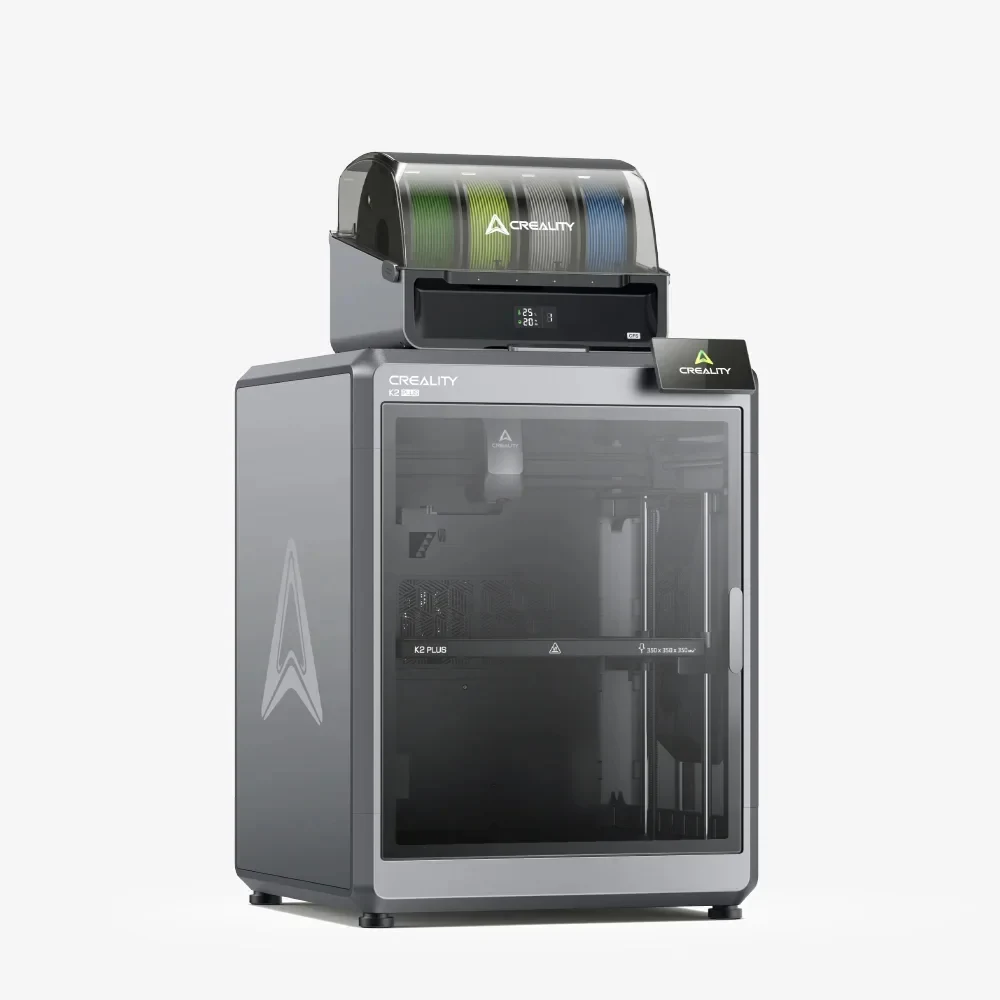
The Creality K2 Plus is an enclosed CoreXY FDM printer in the prosumer class with an impressive 350×350×350 mm build volume and speeds up to 600 mm/s. Equipped with the CFS system for automatic material switching, the K2 Plus delivers multi-color and multi-material printing without interruption, at a price well below industrial alternatives.
What it is
The K2 Plus is Creality's answer to the demand for automated multi-material printing. The enclosed chamber maintains a stable temperature for ABS, ASA and engineering polymers, while the proprietary CFS (Creality Filament System) holds up to four spools and switches between them autonomously, without manual intervention. The machine targets prototypers, small workshops and educational labs that need a large build volume, reliability and material flexibility in one unit.
Technical specifications
| Technology | FDM (CoreXY, enclosed chamber) |
|---|---|
| Build volume | 350 × 350 × 350 mm |
| Maximum speed | up to 600 mm/s |
| Multi-material | CFS (Creality Filament System), up to 4 spools |
| Calibration | automatic leveling, Input Shaper, Pressure Advance |
| Class / Price | Prosumer · ~€1500 |
Who it’s for
- Rapid Prototyping (iterative design testing for new products) verifying dimensions, ergonomics and fit within hours, leveraging speeds up to 600 mm/s (Consumer Electronics)
- Manufacturing Jigs and Fixtures: producing high-strength alignment tools and templates from CF-Nylon or PC inside a stable enclosed chamber (Automotive)
- Low-Volume Functional Parts: printing end-use structural components and replacement parts at scale, without the cost of traditional tooling (Aerospace)
Calibration step by step
- Clean the heated build plate thoroughly with isopropyl alcohol (IPA). A completely degreased and clean surface that guarantees optimal first-layer adhesion.
- Execute the automatic bed leveling (ABL) routine. The printer records a topographic mesh of the bed to actively compensate for any unevenness during printing.
- Initiate a test print and manually fine-tune the Z-offset parameter. The nozzle is positioned at the correct height, delivering a smoothly squished first layer without gaps or scraping.
- Calibrate the material flow rate by printing a Flow Tower. A correctly configured extrusion multiplier that prevents over-extrusion and dimensional inaccuracies.
- Run Input Shaping and Pressure Advance calibration algorithms. Suppression of mechanical vibrations to eliminate ghosting/ringing defects at high print speeds.
Common defects and fixes
Recommended settings by material
Pick a material to see the recommended temperatures (empirical ranges from 561 OrcaSlicer/Bambu profiles) plus machine-specific tips:
Conclusion
The K2 Plus is a compelling choice for workshops and labs seeking a large build volume, high speed and automated multi-material capability in one machine. The CFS system makes Creality competitive in the autonomous multi-color printing market, and the enclosed chamber opens the door to a full range of engineering polymers: all at a prosumer price point.
The full picture
This article is one page from The Big Book of 3D Printing: 704 illustrated pages covering every technology, material and fix in one reference.
Read it on Kindle →Engineer, author of The Big Book of 3D Printing and additive manufacturing expert