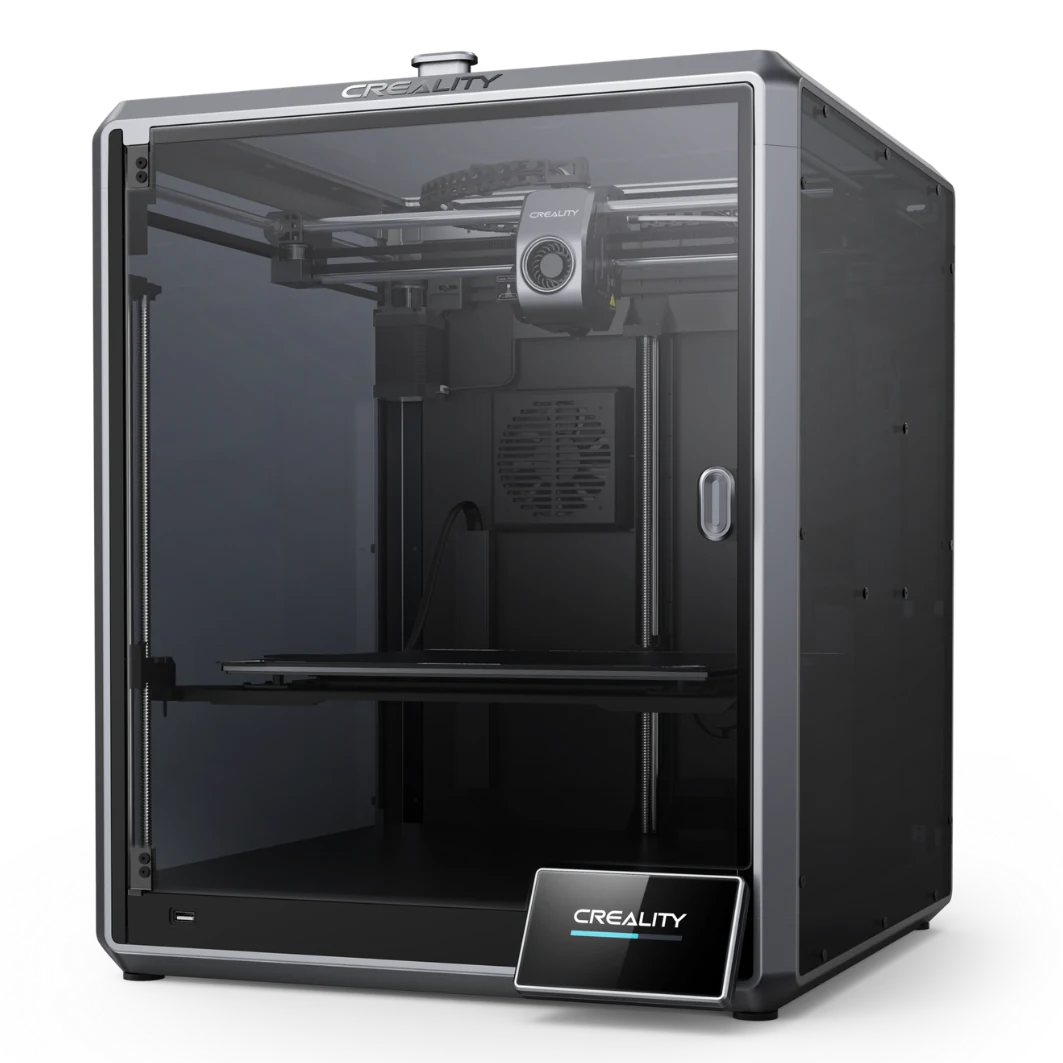
The Creality K1 Max is an enclosed CoreXY FDM printer in the prosumer class featuring a generous 300×300×300 mm build volume and speeds up to 600 mm/s, placing it among the fastest desktop machines available. Equipped with automated resonance calibration (Input Shaper) and an AI camera for real-time print monitoring, the K1 Max delivers serious performance at an accessible prosumer price of around €900.
What it is
The K1 Max is Creality's flagship in the enclosed CoreXY segment: heir to a long FDM tradition, carried into the age of Klipper firmware and AI-assisted automation. The machine targets designers, engineers and small production runs that need a large build volume and speed without sacrificing compatibility with engineering polymers. The enclosed chamber enables printing of ABS, ASA, PC and CF-Nylon, while the built-in Klipper firmware gives advanced users full control.
Technical specifications
| Technology | FDM (CoreXY, enclosed chamber) |
|---|---|
| Build volume | 300 × 300 × 300 mm |
| Maximum speed | up to 600 mm/s |
| Calibration | automatic: bed leveling, Input Shaper, Pressure Advance |
| AI monitoring | built-in AI camera for real-time failure detection |
| Firmware | Klipper (with Creality Print / Fluidd web interface) |
| Class / Price | Prosumer · ~€900 |
Who it’s for
- Rapid Prototyping: printing concept models and form-verification prototypes in hours using high print speeds up to 600 mm/s (Product Design and Engineering)
- Manufacturing Jigs & Fixtures: creating durable, custom-fit tools and templates out of strong engineering polymers like CF-Nylon or ABS (Automotive and Aerospace)
- Functional Enclosures: low-volume production of electronic housings using ASA for UV resistance and mechanical stability (Consumer Electronics)
Calibration step by step
- Clean the flexible PEI build plate with Isopropyl Alcohol (IPA) and apply a thin layer of glue stick if required by the material. Optimal surface preparation preventing bed adhesion failures.
- Run the automated bed leveling sequence and finely tune the Z-offset using a test print. A perfectly squished first layer, eliminating elephant's foot or premature delamination.
- Run the automated Input Shaper (resonance tuning) calibration built into the printer's Klipper firmware. Suppressed mechanical vibrations and elimination of ghosting artifacts at high print speeds.
- Calibrate the extruder's E-steps (M92) and slicer flow rate for the specific loaded filament. Consistent material extrusion, preventing structural gaps (under-extrusion) or blobs (over-extrusion).
Common defects and fixes
Recommended settings by material
Pick a material to see the recommended temperatures (empirical ranges from 561 OrcaSlicer/Bambu profiles) plus machine-specific tips:
Conclusion
The Creality K1 Max is a compelling choice for anyone needing maximum build volume and high speed at an accessible prosumer price point. Automated Klipper calibration and the AI camera reduce manual intervention, while the enclosed chamber opens the door to the full spectrum of engineering polymers. If multi-material switching is not a priority but throughput and volume are: the K1 Max delivers on both counts with ease.
The full picture
This article is one page from The Big Book of 3D Printing: 704 illustrated pages covering every technology, material and fix in one reference.
Read it on Kindle →Engineer, author of The Big Book of 3D Printing and additive manufacturing expert
Updated on 11 September 2026
This article was written with AI assistance; the facts were checked against the sources on 11 September 2026.