

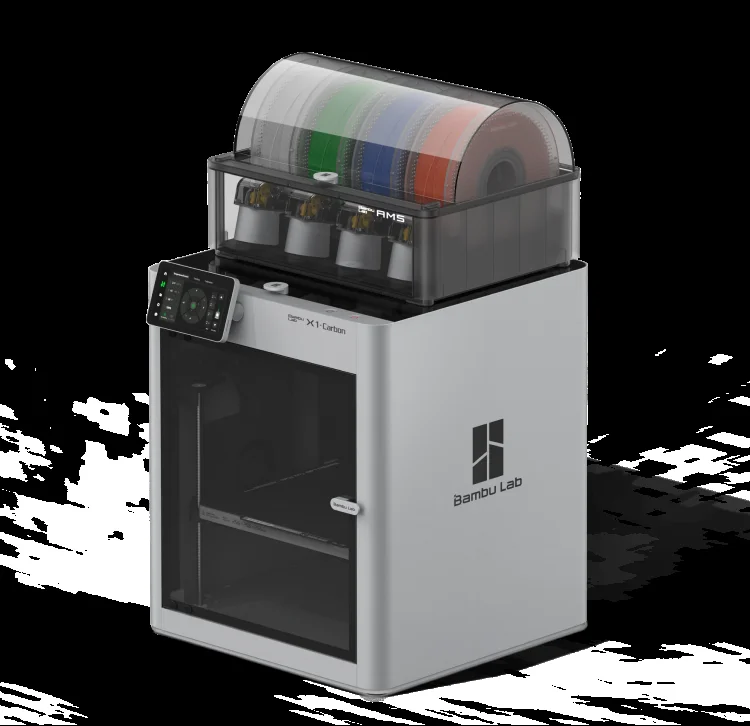
The Bambu Lab X1 Carbon is an enclosed CoreXY FDM printer in the prosumer class that brought high-speed, multi-color 3D printing within reach of everyone outside of industry. With a 256×256×256 mm build volume, speeds up to 500 mm/s, LiDAR-assisted calibration and the AMS for automatic material switching, the X1C is a benchmark for what a desktop machine can do.
What it is
The X1 Carbon is Bambu Lab’s flagship: a fully enclosed chamber, carbon-reinforced axes and a hardened nozzle that let it print not only PLA but also engineering polymers like PC, ABS and CF-Nylon. The “Carbon” in the name refers to the carbon guide rods that sustain high speeds without vibration. The machine targets makers, designers and small workshops that want industrial reliability on a desk, without hours of manual setup.
Technical specifications
| Technology | FDM (CoreXY, enclosed chamber) |
|---|---|
| Build volume | 256 × 256 × 256 mm |
| Maximum speed | up to 500 mm/s |
| Nozzle | hardened steel (for abrasive materials) |
| Calibration | automatic: LiDAR, bed leveling, Input Shaper |
| Multi-material | AMS (Automatic Material System), up to 4 spools |
| Class / Price | Prosumer · ~€1200 |
Who it’s for
- Ultra-fast prototyping: visual and functional prototypes to verify form and fit, leveraging the speeds up to 500 mm/s. (Industrial design and R&D)
- Multi-color and multi-material assemblies: automated printing of complex models or geometries needing soluble supports (PVA/HIPS) via the AMS. (Education and consumer goods)
- Strong functional tooling: jigs, fixtures and end-use parts from CF-Nylon, PC and ABS inside a stable enclosed chamber. (Automotive and aerospace)
Calibration step by step
- Clean the PEI plate with isopropyl alcohol (IPA). An oil-free surface guarantees maximum first-layer adhesion and prevents bed-adhesion failure.
- Run automatic leveling and the LiDAR first-layer inspection. A perfectly trammed platform and precise Z-offset: no “elephant’s foot”.
- Run the flow-rate and Pressure Advance calibration. Optimized filament flow: no over-extrusion blobs or under-extrusion gaps.
- Execute resonance compensation (Input Shaper). Measured and applied frequencies that suppress ringing and ghosting at high speeds.
Common defects and fixes
Recommended settings by material
Pick a material to see the recommended temperatures for the X1 Carbon (empirical ranges from 561 OrcaSlicer/Bambu profiles) plus machine-specific tips:
Conclusion
The X1 Carbon remains a reference point for anyone wanting a reliable, fast and multi-material desktop printer with minimal manual setup. Automatic calibration handles the hard work, the enclosed chamber opens the door to engineering polymers, and the AMS makes multi-color printing trivial. For its price, it brings industrial predictability to the desk.
The full picture
This article is one page from The Big Book of 3D Printing: 704 illustrated pages covering every technology, material and fix in one reference.
Read it on Kindle →Engineer, author of The Big Book of 3D Printing and additive manufacturing expert