

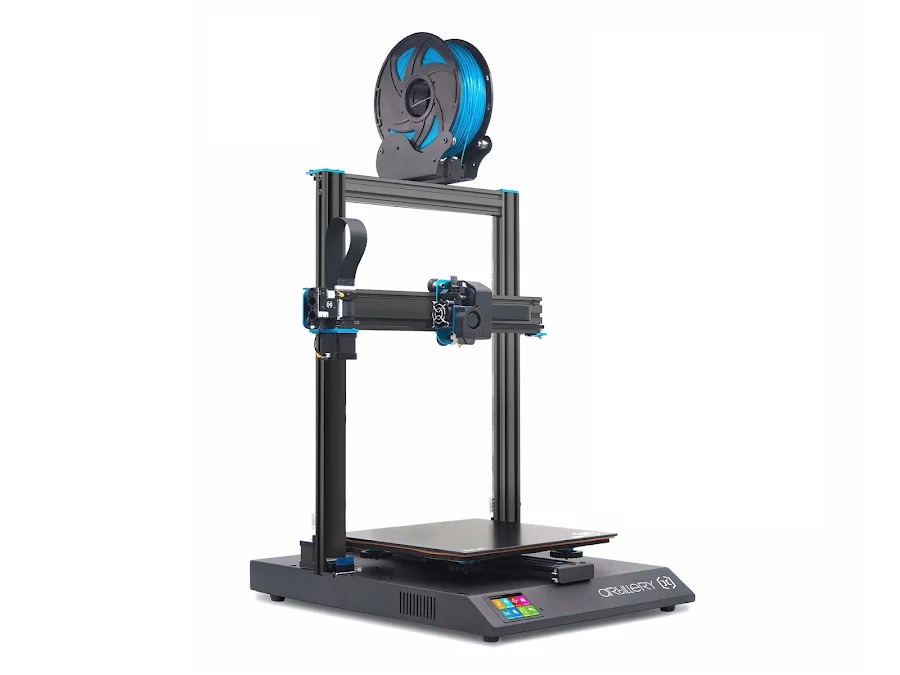
The Artillery Genius Pro is an entry-level FDM printer with direct drive extrusion and an open frame, known for its remarkably quiet operation and excellent flexible filament handling. With a 220×220×250 mm build volume and a price around €249, it is a practical choice for hobbyists, students and small workshops looking for a reliable machine without unnecessary complexity.
What it is
The Genius Pro is a bedslinger: the bed moves along the Y-axis while the toolhead travels on X and Z. Direct drive means the extruder motor is mounted directly on the printhead, giving precise control over filament feeding and a key advantage when printing TPU and other flexible filaments. The machine runs quietly thanks to TMC2208 stepper drivers, and the glass bed with PEI coating provides reliable adhesion. The open frame means the chamber does not heat up: well-suited to PLA, PETG and TPU, but challenging for ABS on larger parts.
Technical specifications
| Technology | FDM (bedslinger, open frame) |
|---|---|
| Build volume | 220 × 220 × 250 mm |
| Maximum speed | up to 150 mm/s |
| Extruder | direct drive |
| Calibration | automatic bed leveling (ABL) + manual Z-offset |
| Noise level | very quiet: TMC2208 stepper drivers |
| Class / Price | Hobby · ~€249 |
Who it’s for
- Rapid Prototyping: quickly printing CAD designs to verify form, fit and ergonomic feel before moving to more expensive manufacturing methods (Product Design and Engineering)
- Custom Jigs and Fixtures: producing low-volume, highly specific mechanical templates and holding tools capable of withstanding functional loads (Automotive and Manufacturing)
- Educational Models: creating physical representations of complex concepts, mechanical parts and student-designed models from idea to object (Education and STEM)
Calibration step by step
- Clean the print bed thoroughly with isopropyl alcohol (IPA) and run the printer's automatic bed leveling (ABL) probing sequence. The build plate is free of oils and debris, and the printer stores a topographical mesh to compensate for microscopic bed unevenness.
- Fine-tune the Z-offset by lowering the nozzle incrementally while moving a piece of paper underneath until slight friction is felt. The nozzle is at the perfect starting height, ensuring optimal first-layer squish without causing elephant's foot or poor bed adhesion.
- Measure and mark 100 mm of filament, command the extruder to feed 100 mm, measure the remaining distance and calculate the new E-steps value (M92). The direct drive system accurately extrudes the exact volume of plastic requested, completely preventing over-extrusion and under-extrusion.
Common defects and fixes
Recommended settings by material
Pick a material to see the recommended temperatures (empirical ranges from 561 OrcaSlicer/Bambu profiles) plus machine-specific tips:
Conclusion
The Artillery Genius Pro is an honest and quiet workhorse, especially capable with flexible materials: its direct drive makes TPU printing routine. The open frame limits it with engineering polymers like ABS and ASA on larger parts, but for PLA, PETG and TPU it is a reliable, quietly-running machine at an accessible price.
The full picture
This article is one page from The Big Book of 3D Printing: 704 illustrated pages covering every technology, material and fix in one reference.
Read it on Kindle →Engineer, author of The Big Book of 3D Printing and additive manufacturing expert