

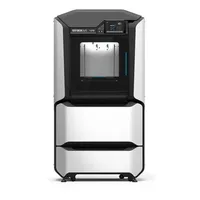
The Stratasys F270 is a mid-range industrial FDM printer in the F123 series: larger than the F170 and with access to a broader range of engineering materials. Its enclosed chamber and soluble support materials (SR-30 / SR-100) enable complex geometries without manual support removal, while the closed Stratasys ecosystem ensures production-grade repeatability.
What it is
The F270 occupies the middle step of the F123 series: a larger build volume than the entry-level F170 and support for more materials, but without access to the ultra-high-performance polymers of the flagship F370. The machine targets manufacturers and engineering teams seeking reliable functional prototypes, tooling and small-batch parts with repeatable quality. The enclosed chamber maintains a stable thermal environment, while soluble support materials (SR-30 for ABS and PC-ABS, SR-100 for ASA and TPU) enable internal channels and undercut geometries impossible with break-away supports.
Technical specifications
| Technology | FDM (enclosed chamber, injection-molding-grade process) |
|---|---|
| Build volume | 305 × 254 × 305 mm |
| Support materials | soluble SR-30 and SR-100 (water-soluble dissolution) |
| Chamber | enclosed, thermally controlled |
| Ecosystem | closed: Stratasys cartridges, GrabCAD Print |
| Class / Price | Industrial mid-class · ~€35 000 |
Applications and industries
- Functional prototypes: rapid production of durable, dimensionally accurate prototypes for fit, form and function testing using engineering polymers such as ABS-M30 and PC-ABS (Consumer electronics and medical devices)
- Jigs and fixtures: manufacturing of specialized assembly aids, templates and fixtures from long-life engineering thermoplastics with repeatable quality (Automotive and aerospace)
- Low-volume end-use parts: production of specialized structural components in small volumes with guaranteed dimensional and mechanical repeatability (Industrial equipment and defense)
Production workflow
- Import the CAD model into GrabCAD Print and define orientation, layer height and material parameters. Optimized orientation minimizes soluble support volume and print time.
- Load work and support material cartridges: verify levels and expiry dates. Stratasys cartridges contain chips for automatic material recognition and quality control.
- Start the FDM print: the machine self-calibrates and maintains temperatures automatically. The enclosed chamber maintains a stable thermal environment throughout the entire print.
- Place the finished part in a dissolution station (WaveWash or SCA-1200) for support removal. SR-30 and SR-100 dissolve completely without manual intervention, freeing internal channels and undercut geometries.
- Rinse the part with water and perform finishing operations (sanding, painting) as required. Clean surface ready for final inspection or direct use.
Key considerations
Materials and applications
Pick a material/alloy this machine processes to see its properties and typical applications:
Conclusion
The Stratasys F270 is a reliable industrial FDM tool for teams that need more than the entry-level F170: greater volume, a broader material range and soluble supports for complex geometries. The closed ecosystem delivers predictability and SLA support, but also higher cartridge costs. If you need ultra-high-performance materials such as Antero or Nylon 12CF, look to the F370.
The full picture
This article is one page from The Big Book of 3D Printing: 704 illustrated pages covering every technology, material and fix in one reference.
Read it on Kindle →Engineer, author of The Big Book of 3D Printing and additive manufacturing expert