

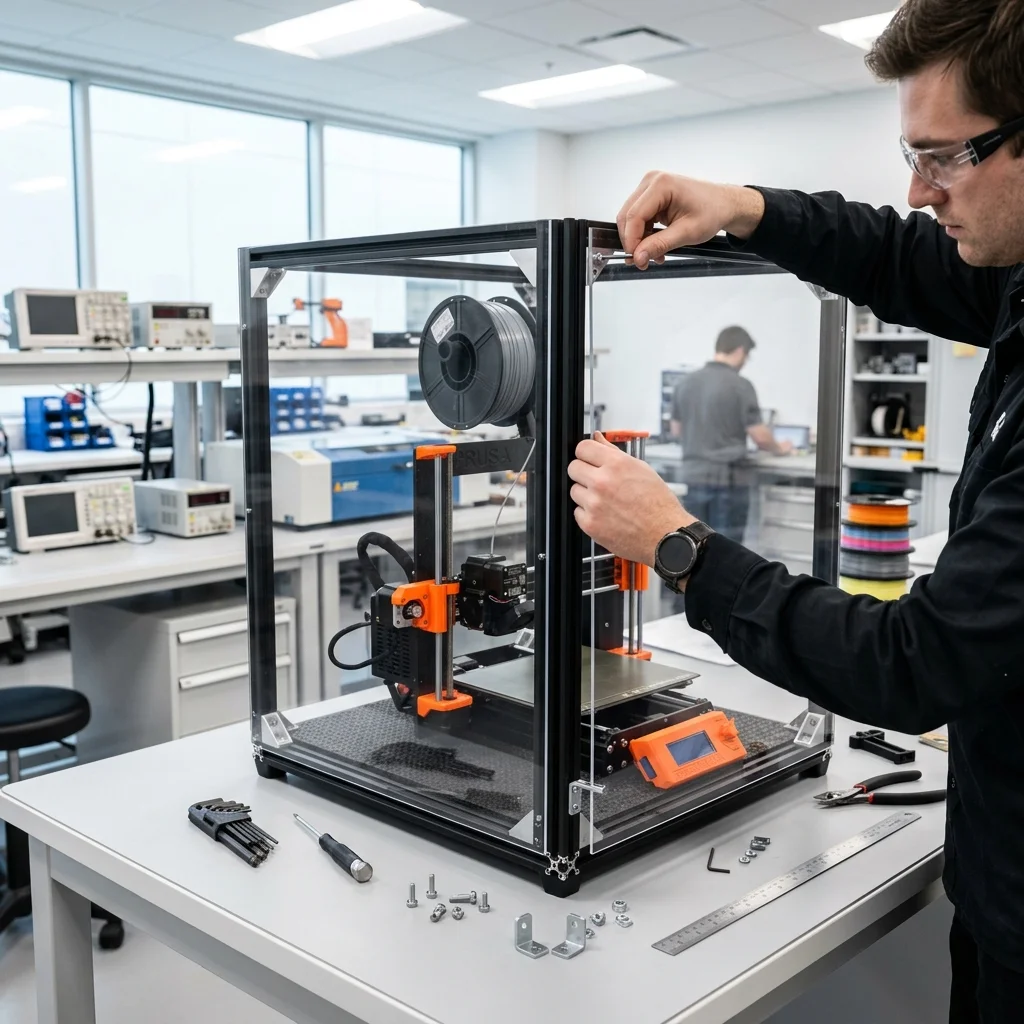
When transitioning from standard PLA to high-performance engineering polymers like ABS, ASA, Polycarbonate (PC), and Nylon, the rules of 3D printing change dramatically. Severe thermal gradients and rapid layer cooling lead to catastrophic warping and delamination. At EduFacturing, we believe in the 'picks and shovels' philosophy: understanding the fundamental physics and environment is what gives meaning to the hardware. To unlock your 3D printer's full potential and work with industrial-grade materials, you need more than a simple photo tent. You need a precisely controlled microenvironment.
Building a custom enclosure isn't just about putting a box over your machine. It involves an integrated system of thermal regulation, toxic fume (VOC) filtration, and strict safety measures. In this article, we will explore the architecture of the perfect custom 3D printer enclosure, step by step.
The Physics of Materials: Why Do You Need an Enclosure?
The core issue with high-temperature materials lies in their thermal contraction. When extruding ABS at 250°C into a room at 22°C, the drastic temperature difference causes the polymer to shrink rapidly and unevenly. This creates internal mechanical stresses that pull the part off the build plate or cause layers to split (delamination). A proper enclosure traps the heat radiating from the heated bed (or an active heater), maintaining a stable ambient chamber temperature between 40°C and 60°C. This drastically reduces the thermal gradient, allowing the polymers to cool slowly and evenly, which ensures maximum structural integrity of the final part.
Framework and Paneling: Choosing the Right Materials
The foundation of any enclosure is a rigid frame. Aluminum extrusion profiles (like 2020 or 2040 V-Slot/T-Slot) are the industry standard due to their modularity, strength, and ease of mounting accessories. When it comes to paneling, many makers mistakenly default to Acrylic (PMMA / Plexiglass). Acrylic cracks easily, deforms under prolonged heat, and is highly flammable. The correct engineering choice is Polycarbonate (PC). It boasts extreme impact resistance, superior thermal stability, and crucially, it is inherently flame retardant. To maximize thermal efficiency and seal odors, all panel gaps should be lined with automotive-grade EPDM weatherstripping.
Electronics Relocation (PSU and MCU)
One of the most critical rules of enclosure design is: do not bake your electronics! The Power Supply Unit (PSU) and the Mainboard (MCU) contain components that degrade rapidly or fail completely when subjected to sustained ambient temperatures above 50°C. Leaving them inside a heated chamber is a recipe for system instability, skipped stepper steps, and severe fire hazards. Therefore, all critical electronic components must be relocated outside the enclosure. This requires extending the wiring harnesses (ensuring proper gauge wires, like 16-18 AWG for power lines) and constructing an external control housing equipped with its own active cooling fans.
Active Heating and Climate Control
While passive heating (relying solely on the heated bed) is often sufficient for smaller printers and materials like ABS, larger volumes and advanced plastics like Nylon or PC demand active temperature control. The safest approach is utilizing PTC (Positive Temperature Coefficient) ceramic heaters with an integrated fan. PTC heaters are self-regulating and efficient. However, they must never run unchecked; they require a dedicated PID controller or digital thermostat (like the W1209) paired with a Solid State Relay (SSR). Position your chamber thermistor away from the direct airflow of the heater to ensure it reads the true ambient temperature of the enclosure.
Air Quality Management: VOC and HEPA Filtration
Printing ABS and ASA emits ultrafine particles (UFPs) and hazardous Volatile Organic Compounds (VOCs) such as styrene. Simply venting this air outside (exhausting) would mean losing all the precious heat built up in the chamber. The modern solution is internal recirculating scrubbers, like the open-source 'BentoBox' project. These systems use high-static-pressure fans to push air through a multi-stage filter stack. The first stage is a HEPA filter (H12 or H13 class) to trap microparticles. The second, critical stage is a dense bed of granular activated carbon (acid-free) designed to adsorb toxic gases. This closed-loop circulation scrubs the air clean without disrupting the thermal equilibrium.
Safety Systems and Smart Integration
Safety is essential, especially when combining high temperatures, raw electricity, and plastics. Installing an autonomous fire suppression tube (such as BlazeCut) at the top of the enclosure is excellent cheap insurance: it bursts and extinguishes fire automatically upon reaching extreme temperatures. Furthermore, integrating Klipper firmware unlocks smart chamber management. You can configure chamber thermistors and write macros that automatically spin up filtration fans when target temperatures are reached, or utilize a controlled exhaust fan to slowly cool down the chamber after a print finishes, avoiding sudden thermal shock to the printed part.
Conclusion
Building a custom enclosure transforms your 3D printer from a hobbyist prototyping machine into a true manufacturing powerhouse. By investing in the right materials like Polycarbonate, properly relocating your delicate electronics, and implementing VOC filtration and active heating, you create a safe and highly efficient environment capable of handling the most demanding engineering polymers on the market.
The full picture
This article is one page from The Big Book of 3D Printing: 704 illustrated pages covering every technology, material and fix in one reference.
Read it on Kindle →Engineer, author of The Big Book of 3D Printing and additive manufacturing expert